


Most small businesses in London and across Southwestern Ontario already pay for Microsoft 365 for business in some form. Far fewer are on the right plan, and fewer still have it set up so the security features they’re paying for are actually switched on. This guide covers what Microsoft 365 is, what each business plan costs in Canadian dollars in 2026, how to pick between them, and what a proper rollout looks like.
Table of Contents
What is Microsoft 365?
Microsoft 365 is Microsoft’s subscription bundle of Office apps (Word, Excel, PowerPoint, Outlook), business email through Exchange Online, file storage in OneDrive and SharePoint, and Teams for chat and meetings. Business plans are licensed per user, per month, and support up to 300 users. Higher tiers add device management and advanced security.
The name causes a lot of confusion. “Office 365” was the old brand, and Microsoft still uses it for some enterprise plans, but for a business with fewer than 300 people the options you’ll see today are Microsoft 365 Business Basic, Business Standard, Business Premium, and Apps for business. It’s also one of the most widely used business platforms on the planet: Microsoft reported more than 450 million commercial paid Microsoft 365 seats in its FY26 Q2 results (January 2026).
That scale is part of the problem. Because almost every business uses it, Microsoft 365 accounts are the first thing attackers go after. A stolen Outlook password opens up email, files, Teams chats and often the company bank’s password-reset emails too.
How much does Microsoft 365 cost in Canada in 2026?
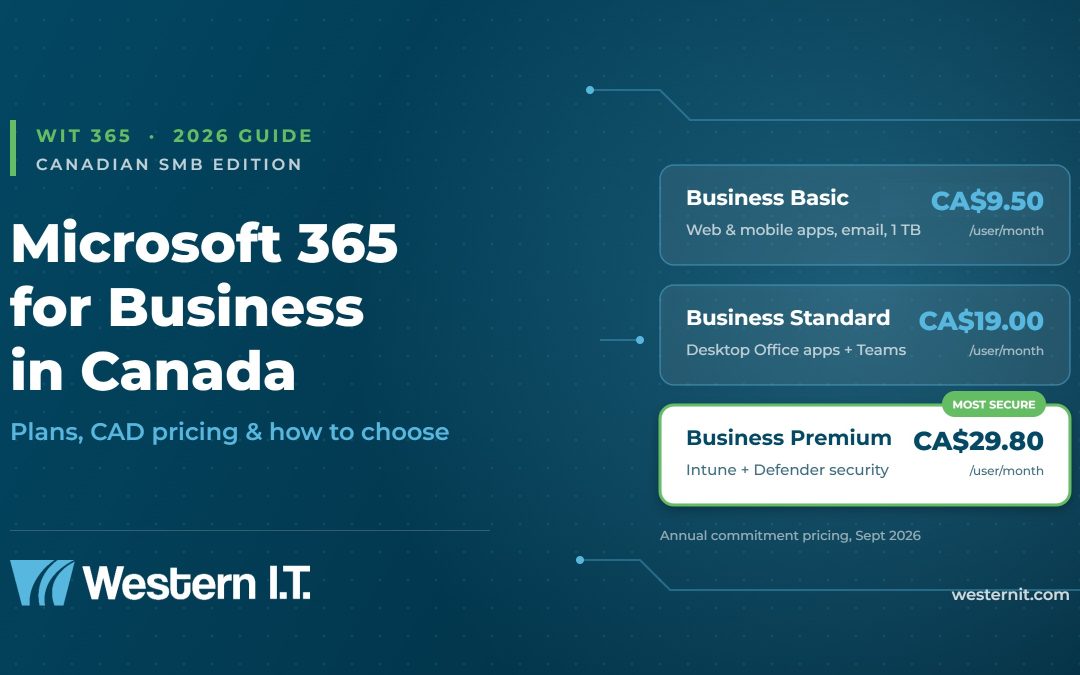
On Microsoft’s Canadian site, as of September 2026, Microsoft 365 Business Basic lists at CA$9.50 per user per month, Business Standard at CA$19.00, and Business Premium at CA$29.80, all on an annual commitment with Teams included. Month-to-month billing costs about 20% more, and Copilot bundles cost extra.
Prices moved this year. Microsoft raised list prices on several commercial plans on July 1, 2026. In US dollars, Business Basic went from $6 to $7 and Business Standard from $12.50 to $14, while Business Premium stayed at $22 (Microsoft, December 2025 pricing announcement). If your renewal date fell after July 1 and your invoice crept up, that’s why.
| Plan | Price (CAD, per user/month, annual) | What you get | Best for |
|---|---|---|---|
| Business Basic | $9.50 | Web and mobile Office apps, business email (50 GB mailbox), Teams, 1 TB OneDrive | Teams that work mostly in a browser, frontline or part-time staff |
| Apps for business | $14.20 | Desktop Word, Excel, PowerPoint, Outlook and 1 TB OneDrive. No business email or Teams | Businesses that host email somewhere else |
| Business Standard | $19.00 | Everything in Basic plus desktop Office apps, webinars, Loop and Clipchamp | Offices that live in Excel and Outlook desktop |
| Business Premium | $29.80 | Everything in Standard plus Intune device management, Entra ID P1 (Conditional Access), Defender for Business, Defender for Office 365 Plan 1, Purview information protection | Any business handling client, financial or health data |
Which Microsoft 365 plan is right for a small business?
For most Canadian small businesses with 5 to 300 employees, Microsoft 365 Business Premium is the right plan. It costs about CA$10.80 more per user than Business Standard, but it adds the security tools (Conditional Access, Intune, and Defender) that stop the most common attacks on email and laptops.
We’ll be upfront: this is where we disagree with a lot of “cheapest plan wins” advice online. Business Standard is a fine productivity plan. It is not a security plan. On Standard you can’t enforce rules like “only company-managed laptops can open client files” or “block sign-ins from outside Canada,” and you can’t remotely wipe a lost laptop. Premium does all of that.
The risk is real for businesses here. Statistics Canada found that about 1 in 6 Canadian businesses (16%) were impacted by cyber security incidents in 2023, and recovery spending doubled to roughly $1.2 billion from 2021 (Statistics Canada, Canadian Survey of Cyber Security and Cybercrime, October 2024). Scams and fraud were the most common incident type, and those almost always start in someone’s inbox.
There are a few cases where a lower plan makes sense:
- Business Basic works for staff who only need email and Teams on a phone or shared workstation, such as warehouse, drivers, or seasonal help. You can mix plans in the same tenant.
- Apps for business only makes sense if your email lives on another platform and you have no plans to move it.
- Microsoft 365 E3 or E5 is for organizations over 300 users, or smaller firms with specific compliance needs such as advanced eDiscovery.
Microsoft 365 Business Standard vs. Business Premium: what’s the real difference?
Business Standard and Business Premium include the same Office apps, email, Teams and storage. The difference is security and device control: Premium adds Microsoft Intune, Entra ID P1 Conditional Access, Defender for Business endpoint protection, Defender for Office 365 phishing protection, and data-loss prevention.
| Capability | Business Standard | Business Premium |
|---|---|---|
| Desktop Word, Excel, PowerPoint, Outlook | Yes | Yes |
| Business email, Teams, 1 TB OneDrive | Yes | Yes |
| Multifactor authentication | Basic (security defaults) | Yes, with Conditional Access policies |
| Device management and remote wipe (Intune) | No | Yes |
| Endpoint protection / EDR (Defender for Business) | No | Yes |
| Safe Links and Safe Attachments (Defender for Office 365 P1) | No | Yes |
| Sensitivity labels and data-loss prevention (Purview) | No | Yes |
| Email archiving (Exchange Online Archiving) | No | Yes |
| Price (CAD, annual, with Teams) | $19.00 | $29.80 |
One thing Premium doesn’t give you is a proper backup. Microsoft keeps deleted items for a limited retention window, and that’s it. If ransomware encrypts a synced OneDrive folder, or an ex-employee’s mailbox gets purged, you want an independent, third-party Microsoft 365 backup. We add one to every client tenant we manage.
How do you set up or migrate to Microsoft 365 the right way?
A clean Microsoft 365 for business rollout follows a set order: audit what you have, choose licences per role, secure the tenant before any data arrives, migrate email and files in batches, enrol devices, then train staff. For a 10 to 50 person office this usually takes two to four weeks.
- Audit. List every mailbox, shared inbox, file share, domain, and line-of-business app that touches email.
- Licence by role. Premium for office staff and anyone who touches client data, Basic for frontline users.
- Harden the tenant first. Turn on MFA for every account, block legacy authentication, set Conditional Access policies, and configure SPF, DKIM, and DMARC on your domain.
- Migrate in batches. Move email from Google Workspace, GoDaddy, IMAP, or an old Exchange server over a weekend or in waves, and move file shares into SharePoint with the permissions mapped.
- Enrol devices in Intune. Enrol company laptops and phones so policies, encryption, and updates apply automatically.
- Back up and monitor. Add third-party backup and watch sign-in alerts on an ongoing basis.
- Train people. Run a short session on Teams, OneDrive sharing, and spotting phishing. This step prevents more incidents than any setting.
Step 3 is the one most DIY setups skip. We regularly onboard businesses that have run Microsoft 365 for years with MFA turned off for the owner’s account “because it was annoying.” That one exception is usually how the breach starts.
Should you manage Microsoft 365 yourself or use a managed IT provider?
You can buy Microsoft 365 for business directly from Microsoft and manage it yourself. That works for very small teams with an in-house tech person. Most businesses get more value from a managed IT provider that licenses, secures, backs up, and supports the tenant as one service, because the security features only protect you when someone configures and monitors them.
That’s the idea behind WIT 365, Western I.T. Group’s fully managed Microsoft 365 service. Your licences are included in the package, and our team in London, Ontario handles setup, migration, security hardening, backup, and day-to-day help desk support. If you’d like the product-level overview first, see our page About Microsoft 365. If security is your main concern, WIT Protect adds managed cybersecurity across the rest of your environment.
Frequently asked questions about Microsoft 365
Is Microsoft 365 the same as Office 365?
Not quite. Office 365 was the original name for Microsoft’s cloud productivity suite. Microsoft 365 is the current name for business plans and includes the Office apps plus extras like Intune and Defender in higher tiers. Some enterprise “Office 365 E” plans still exist.
Is there a free version of Microsoft 365 for business?
No. There is no free business plan. Microsoft offers a one-month free trial of some business plans, and free web versions of Word and Excel for personal Microsoft accounts. Those personal accounts don’t include business email on your domain or admin controls.
Where is Microsoft 365 data stored for Canadian businesses?
Microsoft operates Canadian datacentre regions in Toronto and Quebec City. Tenants created with a Canadian billing address generally have core customer data (Exchange mailboxes, SharePoint and OneDrive files) stored in Canada. You can confirm your tenant’s data location in the Microsoft 365 admin centre.
Can I mix Microsoft 365 plans in one company?
Yes. Licences are assigned per user, so a business can give Business Premium to office staff and Business Basic to frontline workers in the same tenant. The combined total of Business plans is capped at 300 users.
Does Microsoft 365 back up my data?
Not in the way most people assume. Microsoft replicates data for its own uptime and keeps deleted items for a limited retention window, but it isn’t a point-in-time backup you control. Businesses should add third-party Microsoft 365 backup to recover from ransomware, accidental deletion, or departed-employee purges.
Does Microsoft 365 include Copilot?
Standard business plans include Copilot Chat. The full Microsoft 365 Copilot, which works inside your files, email, and Teams, is a paid add-on or a “with Copilot” bundle. On Microsoft’s Canadian site, Business Premium with Copilot lists at CA$43.40 per user per month on an annual plan.
Get Microsoft 365 set up properly with Western I.T. Group
Whether you’re moving off Google Workspace, cleaning up a tenant someone set up years ago, or deciding which Microsoft 365 for business plan is worth it for your team, we can walk you through it with real numbers for your headcount. Call 1-800-752-4238 or contact our London, Ontario team.