


By the WIT Studio team at Western I.T. Group · London, Ontario · Updated October 16, 2026
Quick answer: Under the Accessibility for Ontarians with Disabilities Act (AODA), Ontario businesses and non-profits with 20 or more employees must file an accessibility compliance report by December 31, 2026. If you have 50 or more employees, your public website must also meet WCAG 2.0 Level AA. The report asks you to confirm you meet your requirements, so fix your website before you file, not after.
We’ve spent the last few weeks talking to business owners across London, Sarnia and Kitchener-Waterloo about this deadline, and the same thing keeps coming up: most of them know the AODA exists, but very few know what it actually asks of their website. This guide explains it in plain language, using the Government of Ontario’s own guidance, and finishes with a checklist you can work through this week.
This article is general information, not legal advice. Always confirm your specific obligations with the Government of Ontario or a legal advisor.
On this page
- What is AODA compliance?
- Who has to file the 2026 compliance report?
- What does the AODA require for websites?
- What does WCAG 2.0 Level AA mean in practice?
- What happens if you miss the deadline?
- How do you file the report?
- AODA website compliance checklist
- Frequently asked questions
What is AODA compliance?
AODA compliance means meeting the accessibility standards set under the Accessibility for Ontarians with Disabilities Act, 2005. The standards are spelled out in the Integrated Accessibility Standards Regulation (O. Reg. 191/11). They cover customer service, employment, information and communications (which includes websites), transportation and the design of public spaces. Which rules apply depends on your organization’s size and sector.
The Act itself is fairly short. The detail lives in the regulation, which is why so many owners end up confused. If you want the primary sources, both are on Ontario’s e-Laws site: the Accessibility for Ontarians with Disabilities Act, 2005 and the Integrated Accessibility Standards, O. Reg. 191/11.
The reason it matters goes beyond paperwork. According to Statistics Canada’s 2022 Canadian Survey on Disability, 27% of Canadians aged 15 and older, about 8.0 million people, have a disability. A website that someone can’t navigate with a keyboard or a screen reader is a website that quietly turns those customers away.
Who has to file the 2026 AODA compliance report?
Private-sector businesses and non-profits in Ontario with 20 or more employees must file an accessibility compliance report by December 31, 2026, and then every three years after that. Organizations with fewer than 20 employees still have AODA obligations, such as accessible customer service and training, but they don’t file this report.
Here’s how the main requirements break down by size, based on the Government of Ontario’s page on accessibility rules for businesses and non-profits:
| Requirement | 1–19 employees | 20–49 employees | 50+ employees |
|---|---|---|---|
| Accessibility policies | Required (documenting is optional) | Required | Required and documented |
| Staff training on accessibility | Required | Required | Required, with written training records |
| Accessibility compliance report | Not required | Due Dec 31, 2026, then every 3 years | Due Dec 31, 2026, then every 3 years |
| Multi-year accessibility plan | Not required | Not required | Required, posted on your website, reviewed at least every 5 years |
| Public website meets WCAG 2.0 Level AA | Not required | Not required | Required |
Two details catch people out. First, the employee count includes everyone on payroll in Ontario, so a growing company can move into a new bracket without anyone noticing. Second, if you have 50 or more employees, the compliance report asks you to confirm you meet all your current requirements, and that includes your website.
What does the AODA require for websites?
If your organization has 50 or more employees, your public websites and web content published after January 1, 2012 must meet WCAG 2.0 Level AA. This has applied since January 1, 2021. Two success criteria are excluded: live captions (1.2.4) and pre-recorded audio descriptions (1.2.5). The rule applies to the organization that controls the website.
That last part is important. According to Ontario’s guide on how to make websites accessible, “control” can be direct or through a contract. If an agency built your site, or a platform hosts it, the obligation still sits with you.
A few other points from the same guidance:
- Web content means more than text. It includes images, forms, sounds and anything else on a web page or web application.
- Internal sites are treated differently. Intranets and extranets don’t have to meet WCAG 2.0, but you must provide information in accessible formats, such as large print, when someone asks.
- There’s limited flexibility for older systems. If meeting WCAG 2.0 isn’t practicable, for example because the site runs on outdated tools, the regulation expects best efforts and a plan to fix it at the next refresh. That isn’t a blanket exemption.
Smaller organizations aren’t off the hook entirely. Every business, whatever its size, has to provide information in an accessible format when someone asks for it. An accessible website is simply the cheapest way to do that at scale.
What does WCAG 2.0 Level AA mean in practice?
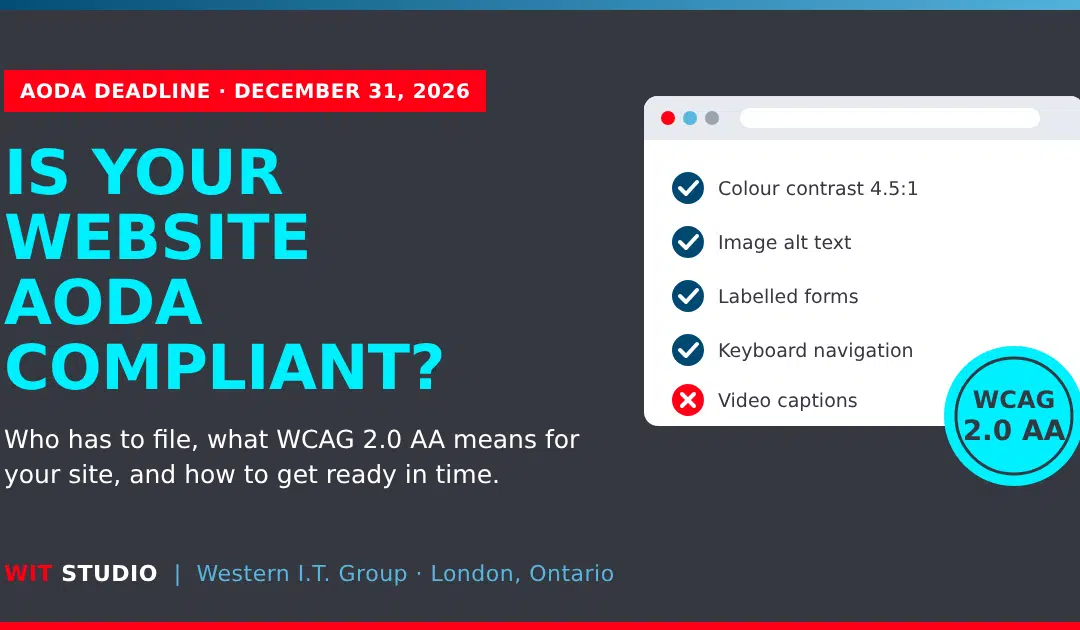
WCAG 2.0 Level AA is an international standard from the W3C that makes web content usable for people with visual, hearing, motor and cognitive disabilities. In practice, it means readable colour contrast, text descriptions for images, labelled forms, full keyboard navigation, captions for pre-recorded video and a clear, consistent page structure.
The full standard, Web Content Accessibility Guidelines (WCAG) 2.0, is long and technical. These are the issues we find most often when we review small and mid-sized business websites in Southwestern Ontario:
| Issue | Who it affects | What the fix looks like |
|---|---|---|
| Low colour contrast (grey text on white, text on photos) | People with low vision or colour blindness | Adjust colours to at least a 4.5:1 contrast ratio for body text |
| Images with no alt text | Screen reader users | Add short, meaningful descriptions; mark decorative images as decorative |
| Forms without labels or clear error messages | Screen reader and keyboard users | Add visible labels and explain errors in text, not just with colour |
| Menus, sliders or pop-ups that need a mouse | Keyboard and switch users | Make every element reachable and usable with the Tab and Enter keys |
| Headings used for styling, not structure | Screen reader users | Use one H1 and a logical H2/H3 order |
| Videos without captions | People who are Deaf or hard of hearing | Add accurate captions to pre-recorded video |
| Links that say “click here” or “read more” | Screen reader users | Write link text that makes sense on its own |
| Inaccessible PDFs (scanned pages, no tags) | Screen reader users | Recreate as tagged PDFs or publish the content as a web page |
One opinion from our side: an automated scanner is a good place to start, but it won’t tell you whether your site actually works for a person using a screen reader. Automated tools catch some issues, not all of them. Things like confusing link text, illogical tab order or a form that traps keyboard users usually need a human to test them.
Accessibility also overlaps heavily with good search engine optimization. Clear headings, descriptive alt text and readable link text help Google and AI assistants understand your pages, too.
What happens if you miss the AODA deadline?
Organizations that don’t file their accessibility compliance report could face enforcement measures, which can include financial penalties, according to the Government of Ontario. The ministry also audits and inspects organizations to verify compliance. The AODA sets maximum fines for offences, but in practice the first steps are usually reminders and orders to comply.
For context, the Act sets maximum fines for convictions of up to $50,000 a day for individuals and up to $100,000 a day for corporations (see the Act on e-Laws). Those are ceilings, not typical outcomes. The more realistic risk for most businesses is a complaint from a customer who couldn’t use your site, followed by a compliance order with a deadline.
There’s also a practical problem with leaving it late. The certifier who signs the report must be a senior officer with the authority to confirm it’s accurate. If your website doesn’t meet WCAG 2.0 Level AA, that person is being asked to certify something that isn’t true.
How do you file the AODA compliance report?
You file online through Ontario’s Accessibility Compliance Reporting Portal. You’ll need your organization’s legal name, your nine-digit business number (BN9), your employee count and the contact details of a senior officer who will certify the report. The process takes about an hour if your requirements are already in place.
Based on Ontario’s guide to completing your accessibility compliance report, the steps are:
- Go to the Accessibility Compliance Reporting Portal and register with an email address and password.
- Sign in and select New Submission, then choose Accessibility Compliance Report.
- Enter your legal name, BN9 and employee range.
- Answer the compliance questions for each standard that applies to you.
- Add the certifier’s details. This must be a senior officer with legal authority to confirm the report is complete and accurate.
- Review your answers and select Submit.
If you manage several related organizations, you can file for up to 20 at once, provided they share the same category, employee range, certifier and answers.
AODA website compliance checklist: what to do before December 31
Start by confirming your employee count, then audit your website against WCAG 2.0 Level AA, fix the issues, document what you did and file the report. Most small business sites can get through a review and fixes in a few weeks, but it depends on the site’s size and how it was built.
- Confirm your size bracket. Count your Ontario employees. If you have 20 or more, you file. If you have 50 or more, your public website must meet WCAG 2.0 Level AA.
- List every public site you control. Include your main website, landing pages, booking or payment pages and any microsites. Don’t forget sites built or hosted by a third party.
- Run an automated scan as a first pass. It’ll flag obvious issues like missing alt text and low contrast.
- Do a manual review. Navigate key pages using only a keyboard, test forms, check heading order and try a screen reader on your most important pages.
- Prioritize and fix. Start with the pages customers use most, such as home, services, contact and checkout, then work outward.
- Check your documents and media. Caption pre-recorded videos and replace or fix PDFs that aren’t accessible.
- Document what you did. Keep a record of the review, the fixes and the dates. If you have 50+ employees, update your multi-year accessibility plan and post it on your website.
- Add an accessibility statement and feedback option. Let visitors know how to request information in another format.
- File the report. Submit it through the portal before December 31, 2026.
- Keep it compliant. Every new page, image and plugin can introduce new issues. Build accessibility checks into your regular website maintenance.
Frequently asked questions about AODA compliance
Does the AODA apply to my business if I have fewer than 20 employees?
Yes, but with fewer requirements. Businesses with 1 to 19 employees must have accessibility policies, train staff and provide information in accessible formats on request. They don’t have to file a compliance report, and they don’t have to make their website meet WCAG 2.0 Level AA.
Is WCAG 2.1 or 2.2 required instead of 2.0?
No. Ontario’s regulation currently requires WCAG 2.0 Level AA. Newer versions are backward compatible, so meeting WCAG 2.1 or 2.2 AA also covers WCAG 2.0 AA, and building to the newer standard is a sensible way to future-proof your site.
Do I need to make old website content accessible?
The requirement applies to websites and web content published after January 1, 2012. Older content is generally outside the rule, but if someone asks for it in an accessible format, you still have to provide it.
Our website was built by an agency. Who is responsible?
You are. Ontario’s guidance says the organization that controls the website, directly or through a contract, must meet the requirements. Your agency can do the work, but the legal obligation stays with your organization.
Will an accessibility overlay or plugin make my site compliant?
Not on its own. Overlays can help with some surface-level issues, but many problems, such as unlabelled forms, poor heading structure or keyboard traps, live in the site’s code and content. Those need to be fixed at the source.
How often do I have to file the AODA compliance report?
Private-sector businesses and non-profits with 20 or more employees file every three years. The current deadline is December 31, 2026.
What information do I need to file?
Your organization’s legal name, nine-digit business number (BN9), employee count and the contact details of a senior officer who will certify that the report is complete and accurate.
How long does it take to make a website AODA compliant?
For a typical small business website, a review and fixes usually take a few weeks. Larger sites, e-commerce stores and sites with lots of PDFs or video take longer, which is why starting now matters.
Get your website ready with a local team
We’re WIT Studio, the web and design team at Western I.T. Group, based at 415 Hamilton Road in London, Ontario. We review websites against WCAG 2.0 Level AA, fix the issues directly in the code and content, and give you a clear summary of what we did so your certifier can sign the report with confidence.
If your site needs more than fixes, our website design team builds accessibility in from the start, and our website maintenance service keeps it compliant as you add new pages. You can also see how we work before you reach out.
Request an AODA compliance website review, call us at 1-800-513-9652, or send us a message.
Sources
- Government of Ontario, Accessibility rules for businesses and non-profits
- Government of Ontario, Completing your accessibility compliance report
- Government of Ontario, How to make websites accessible
- Government of Ontario e-Laws, Accessibility for Ontarians with Disabilities Act, 2005
- Government of Ontario e-Laws, O. Reg. 191/11: Integrated Accessibility Standards
- Statistics Canada, Canadian Survey on Disability, 2022
- W3C, Web Content Accessibility Guidelines (WCAG) 2.0