


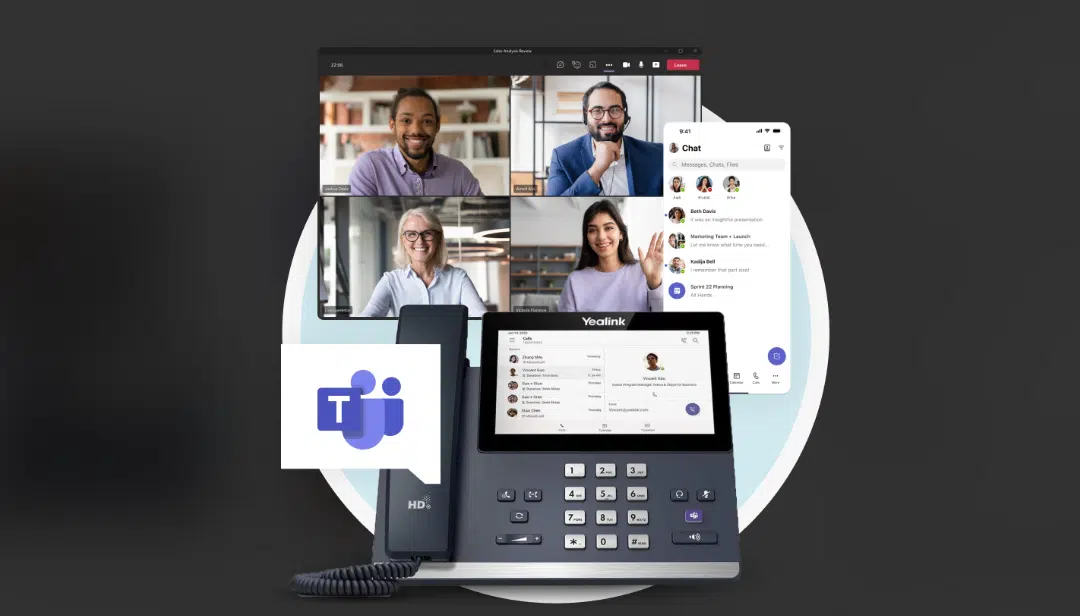
If your business already runs on Microsoft Teams, the question isn’t whether to add calling — it’s which method to add it with. Direct Routing connects Teams to a third-party VoIP provider of your choice, giving you more flexibility and typically lower per-minute costs, while Microsoft Calling Plans bundle everything through Microsoft at a flat monthly rate with less setup work. Most businesses in Ontario end up picking Direct Routing once they see the cost difference at scale — but Calling Plans still make sense for smaller teams that want zero configuration.
That’s the short version. Here’s what actually separates the two, and how to tell which one your team should be on.
What Is Microsoft Teams Direct Routing?
Direct Routing is a feature built into Teams that lets you connect your own SIP trunk or VoIP provider — instead of Microsoft’s own calling network — to handle PSTN calls. You keep the Teams interface your staff already uses every day, but the actual phone line runs through a provider like WIT Comm, chosen for your business rather than assigned by Microsoft.
The appeal is control. You’re not locked into Microsoft’s calling rates, you can port existing business numbers over without losing them, and a managed provider handles the technical side — the session border controller, call routing rules, failover — so your team never sees the plumbing.
What Are Microsoft Calling Plans?
Calling Plans are Microsoft’s own built-in option: you buy a plan (Domestic, Domestic and International, or International) directly through your Microsoft 365 tenant, and Microsoft becomes your phone carrier. There’s no separate provider to manage and no SIP trunk to configure — you assign a plan to a user and they can call within a few minutes.
That simplicity has a ceiling, though. Microsoft’s per-user calling plan pricing runs noticeably higher than most Direct Routing setups once you’re past a handful of users, and you’re limited to whatever calling regions Microsoft has bundled into that specific plan.
Direct Routing vs. Calling Plans: Side-by-Side
| Direct Routing | Microsoft Calling Plans | |
|---|---|---|
| Setup | Requires a provider/SBC configuration (typically managed for you) | Self-service in the Teams admin center |
| Cost at scale | Lower per-minute and per-user cost, especially past 15-20 users | Flat per-user fee, cost climbs linearly with headcount |
| Provider flexibility | Choose your own carrier; switch providers without leaving Teams | Locked to Microsoft as the only carrier |
| Number porting | Straightforward with most managed providers | Supported, but tied to Microsoft’s porting process and timelines |
| International calling | Set your own rates and coverage through your chosen provider | Limited to the specific plan’s included countries |
| Support | Depends entirely on your provider — this is where a managed partner matters | Microsoft support ticket, often slower for phone-specific issues |
| Best fit | Growing teams, multi-location businesses, anyone who’s outgrown Microsoft’s flat rates | Very small teams (under 10 users) that want the absolute simplest setup |
Which One Should Your Business Choose?
A few patterns show up consistently when we set this up for clients:
Teams under 10 people who make mostly domestic calls often don’t notice much difference either way — Calling Plans can be the faster path if there’s no IT resource to manage a provider relationship. Once a business crosses into the 15-25 user range, or does any meaningful volume of international or cross-border (Canada/U.S.) calling, the math shifts hard toward Direct Routing. Multi-location businesses and anyone who’s ever had to port a number away from a previous carrier tend to prefer Direct Routing specifically because the provider relationship isn’t tied to Microsoft’s own migration process.
There’s also a hybrid reality worth naming: you don’t have to pick one and lock in forever. Businesses that started on Calling Plans because it was quick to stand up frequently move to Direct Routing later, once calling volume justifies the switch. The number doesn’t have to change in that move — that’s usually the part clients worry about most, and it’s the part that’s easiest to get right with a managed transition.
How Western IT Group Sets This Up
WIT Comm Teams is built on Direct Routing by default, which is why the cost comparison above tends to favour it for most of the businesses we work with across London, Ontario and Southwestern Ontario. Our team handles the SBC configuration, number porting, and Teams admin setup — a client’s staff sees calling appear inside Teams with no separate app to install and no hardware to buy unless they specifically want a desk phone. For businesses still deciding between the two, that setup work is exactly the gap a managed provider closes: the technical side that makes Direct Routing look “self-service” on paper but rarely is in practice.
Not on Microsoft Teams and just need a standalone business phone system instead? WIT Comm covers that without the Teams dependency, and WIT Comm AI adds call insights and transcription on top of either setup. Whichever direction fits, you can talk to our team about which one makes sense for your headcount and calling volume.
Frequently Asked Questions
Can I switch from Microsoft Calling Plans to Direct Routing later without losing my phone numbers?
Yes. Number porting is a standard part of moving to Direct Routing, and a managed provider handles the port so the transition doesn’t interrupt inbound calls. The switch is a configuration change in the Teams admin center, not a rebuild of your phone system.
Do I need new hardware to use Direct Routing with Microsoft Teams?
No new hardware is required. Staff can call through the Teams app on their existing computer or phone. Physical desk phones are optional and only needed if a specific role wants one.
Is Direct Routing actually cheaper than Microsoft Calling Plans in Canada?
For most businesses past roughly 15 users, yes — per-minute and per-user costs typically run lower with Direct Routing through a managed provider than with Microsoft’s bundled per-user plan pricing. Very small teams with light calling volume sometimes see less difference.
What happens if I want to change VoIP providers after setting up Direct Routing?
Because Direct Routing separates the calling provider from the Teams platform, switching providers is a carrier change, not a platform migration. Your team keeps using Teams exactly as before; only the underlying carrier changes.
Does Direct Routing work for businesses with more than one office location?
Yes, and it’s one of the more common reasons businesses choose it over Calling Plans. A single Direct Routing setup can serve multiple locations and number ranges through one Teams tenant, rather than managing separate calling plans per site.